
Conventions
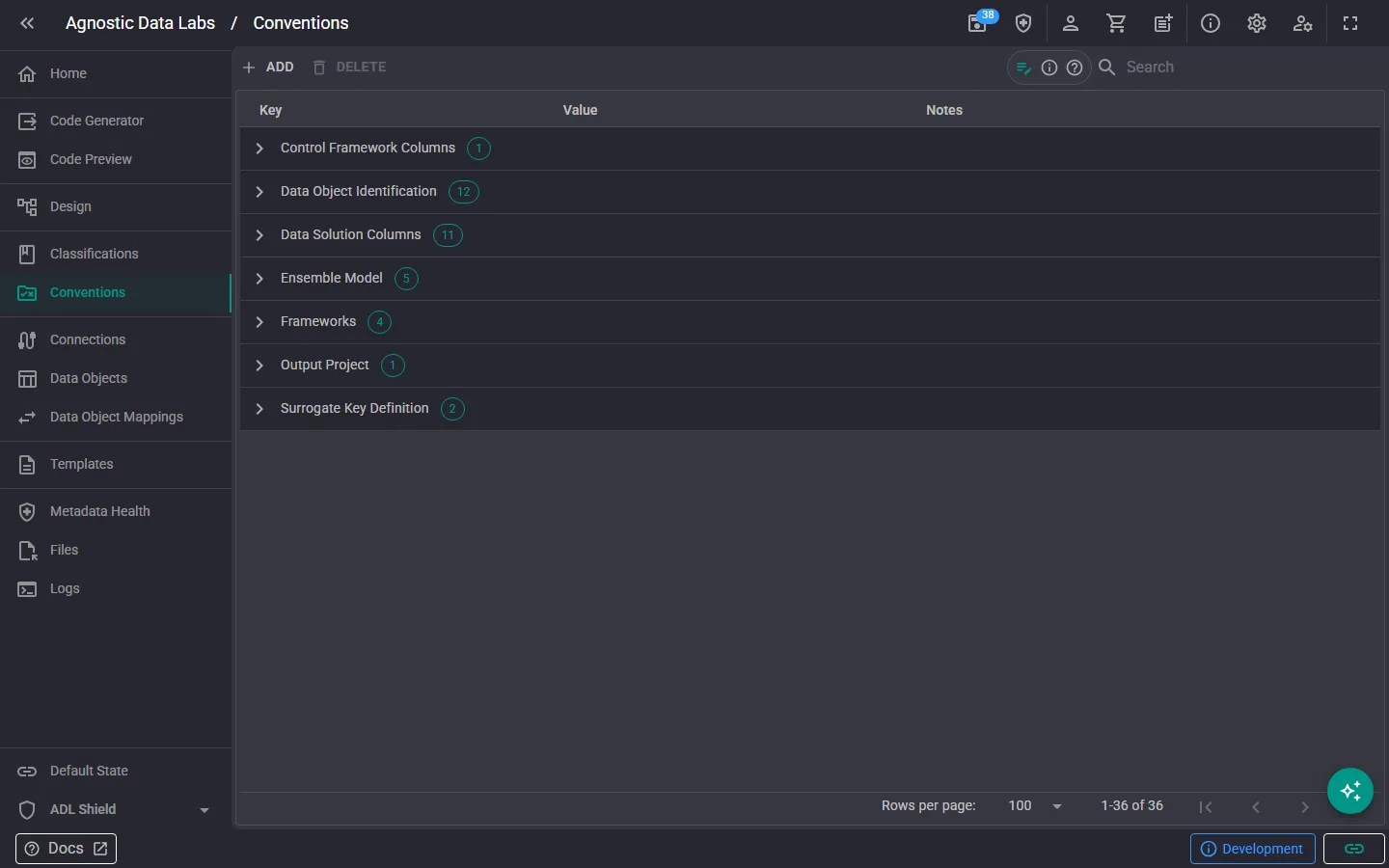
rule_folder The Conventions screen is where you manage your project’s reusable rules and values. A convention started life as a naming rule — “hubs are prefixed HUB_” — but conventions now do more: they can define standard data items, columns that ADL automatically adds to and maintains on every data object with a matching classification (think audit IDs, record sources, load timestamps, and surrogate keys).
What a convention is
Section titled “What a convention is”Each convention has:
- Group: an organizing category, such as Naming, Ensemble Model, Data Solution Columns, or Control Framework Columns. The grid groups rows by this.
- Key: the lookup name, e.g.
AuditTrailIdColumn. Templates reference conventions by key. - Value: the value itself. This can be a literal (
AUDIT_TRAIL_ID) or a Handlebars pattern that’s rendered when used — for exampleHUB_{{dataObject.name}}for hub naming, or a surrogate-key pattern that builds a name from the object and another convention. - Include in Design Metadata: when on, the value is exposed to your templates as
conventions.YourKey. - Required: marks conventions that templates or standard data items depend on; required conventions can’t be deleted.
- Notes: free-text documentation.
- Standard data item configurations: optional links to classifications that turn the convention into a managed column (see below).
In the grid, conventions with these flags show an Output chip (included in the enriched metadata) and a Required chip.
Standard data items
Section titled “Standard data items”This is the headline capability: a convention can declare “objects classified as X get a column named after my value”. In the add/edit dialog, the Standard Data Item Configurations section lets you add one entry per classification. For each one you set:
- Applies to: a classification group and classification (e.g. Physical / Hub). A more specific match wins over a broader one, so a Physical / Link-Satellite entry beats a group-only Physical entry.
- Placement: Front (before the regular data items) or End (after them).
- Order: a ranking among the standard columns in that zone — a relative order, not a fixed position.
- Data type, Length, Scale: the column definition (e.g.
int,varchar100,datetime2scale 7). - Primary Key: whether the column is part of the primary key.
- Supplied by Parent Relationship: for key columns that arrive via a relationship (like a hub key on a satellite), ADL doesn’t create the column; it finds the inherited key and keeps it in the right position.
The dialog shows a plain-language preview of the effect, e.g. “ADL adds “AUDIT_TRAIL_ID” (int) to every Physical / Hub object — leading zone, order 2.“
ADL keeps the columns in sync
Section titled “ADL keeps the columns in sync”Standard data items are applied automatically — when a project loads and whenever conventions change:
- Adding or editing a convention adds, renames, retypes, or repositions its columns on every matching data object, with a notification summarizing what changed.
- Column layout follows three zones: leading standard columns, then your business columns, then trailing standard columns — and ordinals are renumbered accordingly.
- The convention wins: if an object already has a column with the managed name, it’s adopted and brought in line with the convention’s definition.
- Deleting a convention (or removing a classification link) prompts you to remove the now-orphaned columns from the affected objects — you can also choose to keep them as ordinary columns.
Metadata Health backs this up with rule CNV001, which flags convention-managed columns that sit at the wrong ordinal.
Working in the grid
Section titled “Working in the grid”- Browse and search: the grid is grouped by convention group with counts, and the filter box searches keys, values, and notes.
- The Add button opens the convention dialog.
- Edit a convention using the pencil icon on its row.
- To delete, select rows and delete them; required conventions are skipped and can’t be deleted. Deletions are staged until you save.
- Agree on standards early: it’s much easier to set up conventions at the start of a project than to rename things later.
- Let conventions own your framework columns. Defining audit and load columns as standard data items once beats adding them to every object by hand — and they stay consistent when the standard changes.
- Use Handlebars values for name patterns. A pattern like
HUB_{{dataObject.name}}gives templates and the app a single source of truth for derived names. - Mark load-bearing conventions as Required so nobody deletes a value your templates or standard columns depend on.
Related
Section titled “Related”- Conventions (Concepts) — The thinking behind conventions and standard data items
- Classifications — Standard data items target objects by classification
- Metadata Health — Validates convention column ordinals (CNV001)
- Templates — Reference conventions as
conventions.YourKey