Data Object Mappings
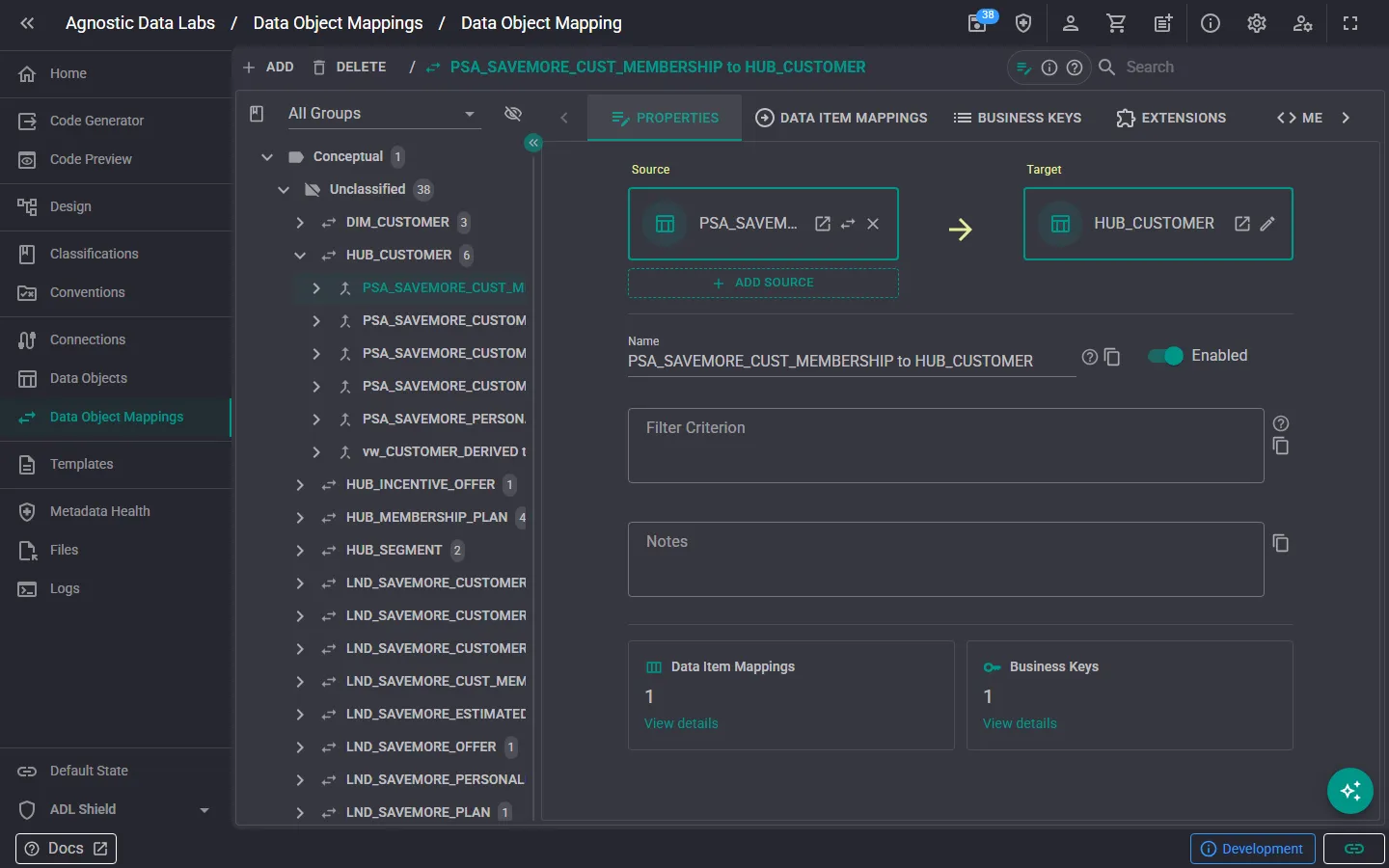
swap_horiz The Data Object Mappings screen is where you define how data moves from one place to another. Mappings connect a source data object to a target data object and describe the transformations that happen along the way.
What you can do here
Section titled “What you can do here”Create and manage mappings
Section titled “Create and manage mappings”- Add new mappings that link a source data object to a target data object.
- Edit existing mappings to update sources, targets, or transformation logic.
- Delete mappings you no longer need.
- Browse all mappings in your project.
Define column-level transformations
Section titled “Define column-level transformations”Each mapping can include Data Item Mappings: instructions for how individual columns map from source to target. For each column mapping, you can specify:
- Source column: which column in the source object provides the data.
- Target column: which column in the target object receives the data.
- Transformation logic: any formula or expression applied during the mapping.
Configure business keys and filters
Section titled “Configure business keys and filters”Mappings can also include:
- Business key definitions: which columns are used for matching records between source and target (important for patterns like Data Vault loading).
- Filter expressions: conditions that determine which rows are included in the mapping.
Add extensions
Section titled “Add extensions”Like data objects, mappings support custom key-value extensions for any additional metadata your templates need.
Why mappings matter
Section titled “Why mappings matter”Mappings are the foundation for generating ETL/ELT code. When you pair a mapping with a template, ADL can generate:
- Stored procedures that load data from staging to integration layers.
- Views that join and transform source data.
- Scripts that handle delta detection, merging, and other data flow patterns.
Without mappings, ADL knows what your objects look like — but not how data should flow between them.
- Set up your data objects first: you need source and target objects before you can create mappings between them.
- After setting up a mapping and assigning a template, check the Code Preview to see what the generated output will look like.
- Think in layers: most data solutions have clear layers (source → staging → integration → presentation). Set up your mappings to reflect this flow.
Related
Section titled “Related”- Data Objects — Manage the objects that mappings connect
- Templates — The templates that use mappings to generate code
- Metadata & Data Objects (Concepts) — Understand the core metadata model